Introducing Bifract

I’ve always wanted a log management platform that was fast, easy to deploy, and built with collaboration in mind. I started looking for solutions when building my home lab and competing in CTFs, but I could never find an open source option that fully met my needs.
So I built Bifract, an open source log management, detection, and collaboration platform powered by ClickHouse.
Under the hood, Bifract translates queries to SQL and runs them against a ClickHouse backend using its JSON data type for flexible log storage. ClickHouse handles the heavy lifting on the backend, while Bifract layers on its own query language, alert engine, and collaboration features like comments, dashboards, and notebooks.
Why ClickHouse?
ClickHouse is a battle-tested columnar database that runs just as well in a single Docker container as it does across a Kubernetes cluster. It was purpose-built for analytical workloads over massive datasets, which makes it a natural fit for log management.
What really sold me is how well its internals map to the problem. ClickHouse organizes data into granules, small groups of rows that can be skipped entirely during a scan when they don’t match your query. Bifract uses ClickHouse’s text index with a token-based tokenizer on raw log data, which means full-text searches can prune granules before scanning, keeping queries fast even over millions of entries.
Compression ratios on log data are exceptional too. Bifract uses ZSTD compression, and ClickHouse routinely achieves 10-20x compression on log data, which means you can retain months of logs on modest hardware. Bifract also takes advantage of ClickHouse’s built-in dictionary support for fast lookups against external data like threat intelligence feeds and asset inventories at query time.
Query Language
SQL is powerful, but writing raw SQL against security logs with hundreds of fields across dozens of sources is slow and cumbersome. Bifract has its own query language, BQL, that feels familiar if you’ve used SPL, KQL, or similar. Queries are pipe-based, so you can chain filters, aggregations, and transformations together naturally.
Beyond the basics, BQL includes functions built specifically for security work, including graph traversal with dfs(), multi-step attack detection with chain(), and statistical outlier detection with madOutlier().
dfs() lets you traverse relationships across log entries. In this query, we use it to walk an entire process tree in Sysmon process creation data and visually display the result.
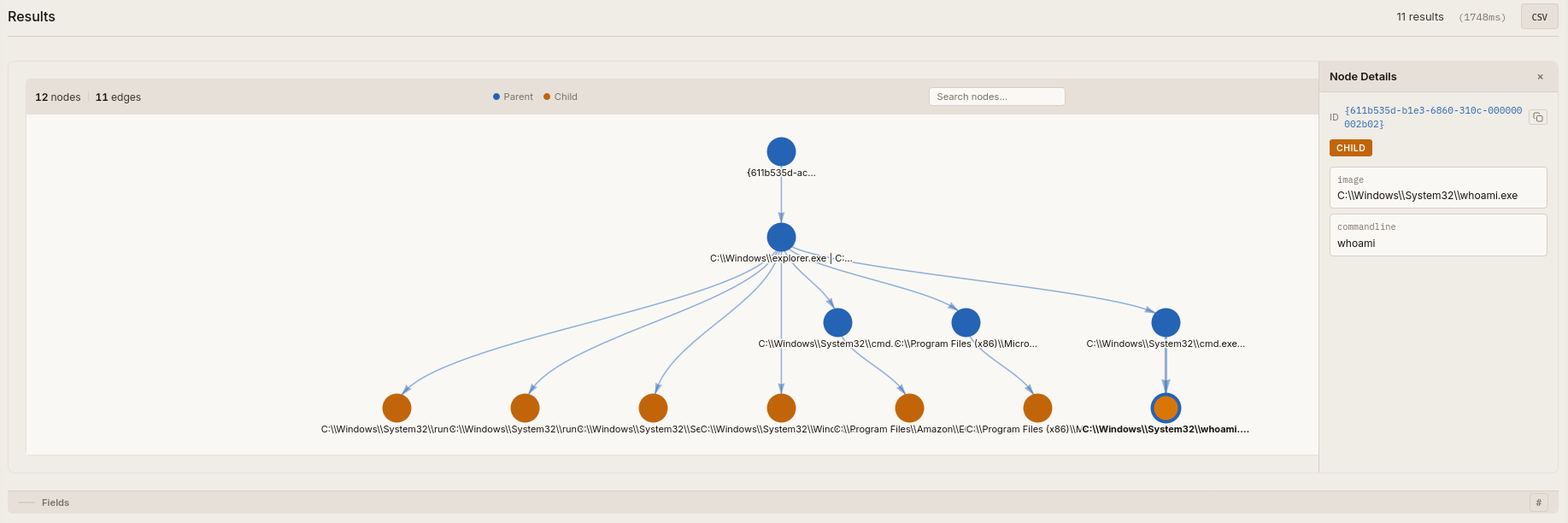
Where dfs() follows relationships within a single event source, chain() detects ordered sequences across different event types. You can define a series of conditions with time constraints, so something like a suspicious login followed by a service installation and then a lateral movement event within a five-minute window becomes a single query.
madOutlier() takes a different approach entirely, using median absolute deviation to flag statistical anomalies in your data, like surfacing accounts authenticating at unusual hours.
You can read more about BQL and all of its functions in the docs.
Notebooks
I’ve often turned to Jupyter Notebooks during investigations, CTFs, and while documenting detections, but I always wanted something more tightly integrated with the data I’m querying. That’s why Bifract has its own notebook system.
Bifract notebooks let you combine live query blocks with markdown annotations, so you can document an investigation, build a playbook, or walk through a threat hunt all in one place. Query results render inline, keeping your notes and your data side by side. Notebooks can also be generated directly from tagged comments, pulling together findings from an investigation into a single document.
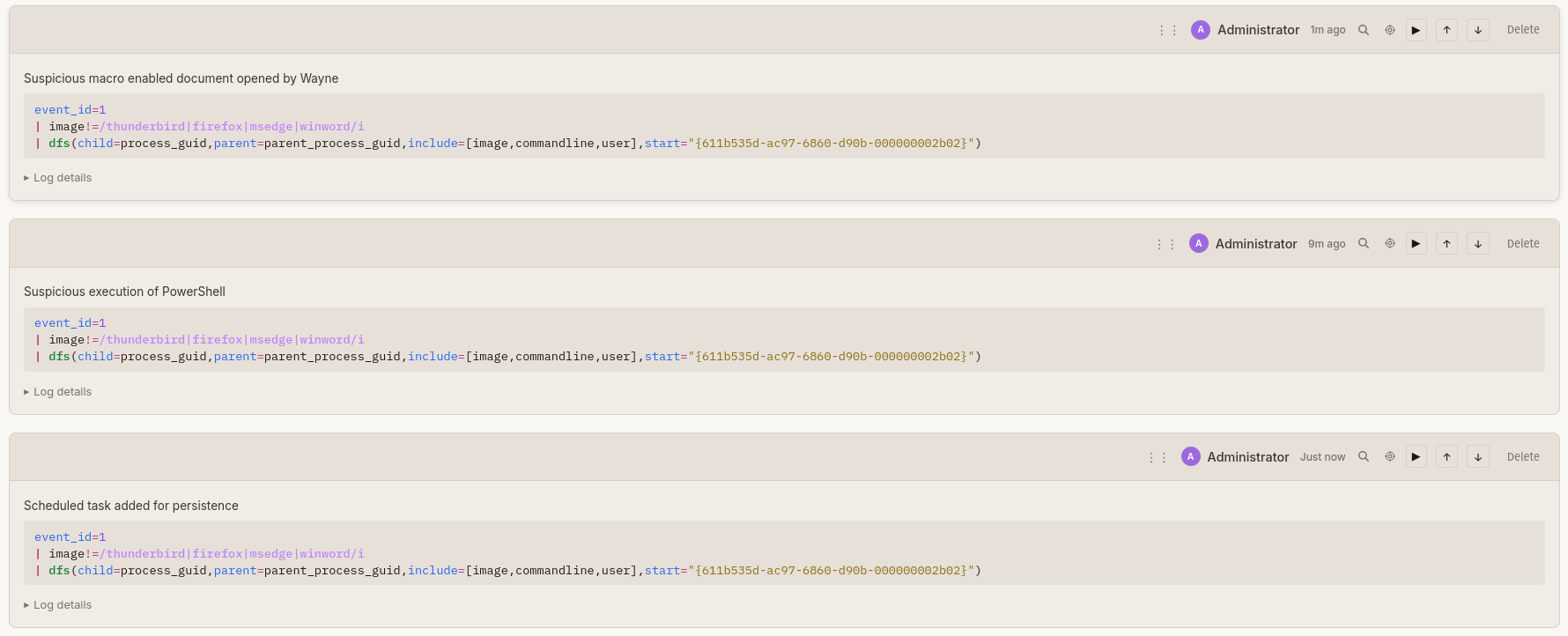
Comments
During an investigation, the context behind why a log entry is significant often lives in someone’s head or in a separate chat thread. Bifract lets you comment directly on log entries so that context stays attached to the data. When a teammate picks up where you left off, the investigative trail is already there.
You can tag comments to group related findings and organize tagged comments into notebooks for a complete picture of an investigation. You can also search for all commented logs using the comment() function in BQL.
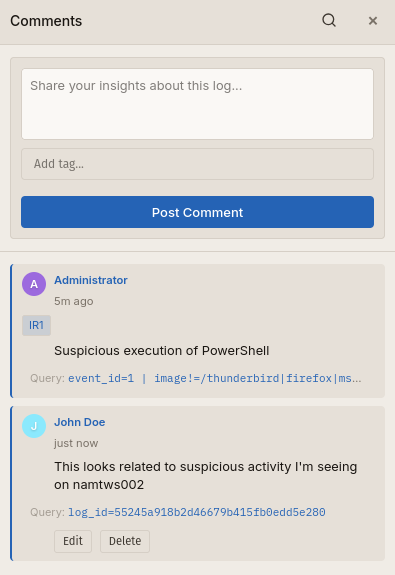
Sigma
Bifract supports Sigma, so you can bring your existing detection library with you instead of rewriting everything from scratch. Rules are translated into BQL, and their fields are normalized to match your log data.
Bifract also supports Alert Feeds for detection as code. Alert Feeds sync Bifract or Sigma rules into the platform periodically via git, so you can rapidly pull in community content like SigmaHQ and Hayabusa rules while also keeping your own rules version-controlled.

AI
Bifract provides two ways to leverage AI. The built-in AI Assistant lives directly in the web UI, where it can run BQL queries, discover fields, and present findings conversationally. It’s scoped per fractal (Bifract’s term for an isolated log environment) and aware of your imported alert feeds, so it writes queries relevant to your actual environment. Any LLM provider supported by LiteLLM works as the backend, giving analysts a quick, central place to leverage AI without leaving the platform.
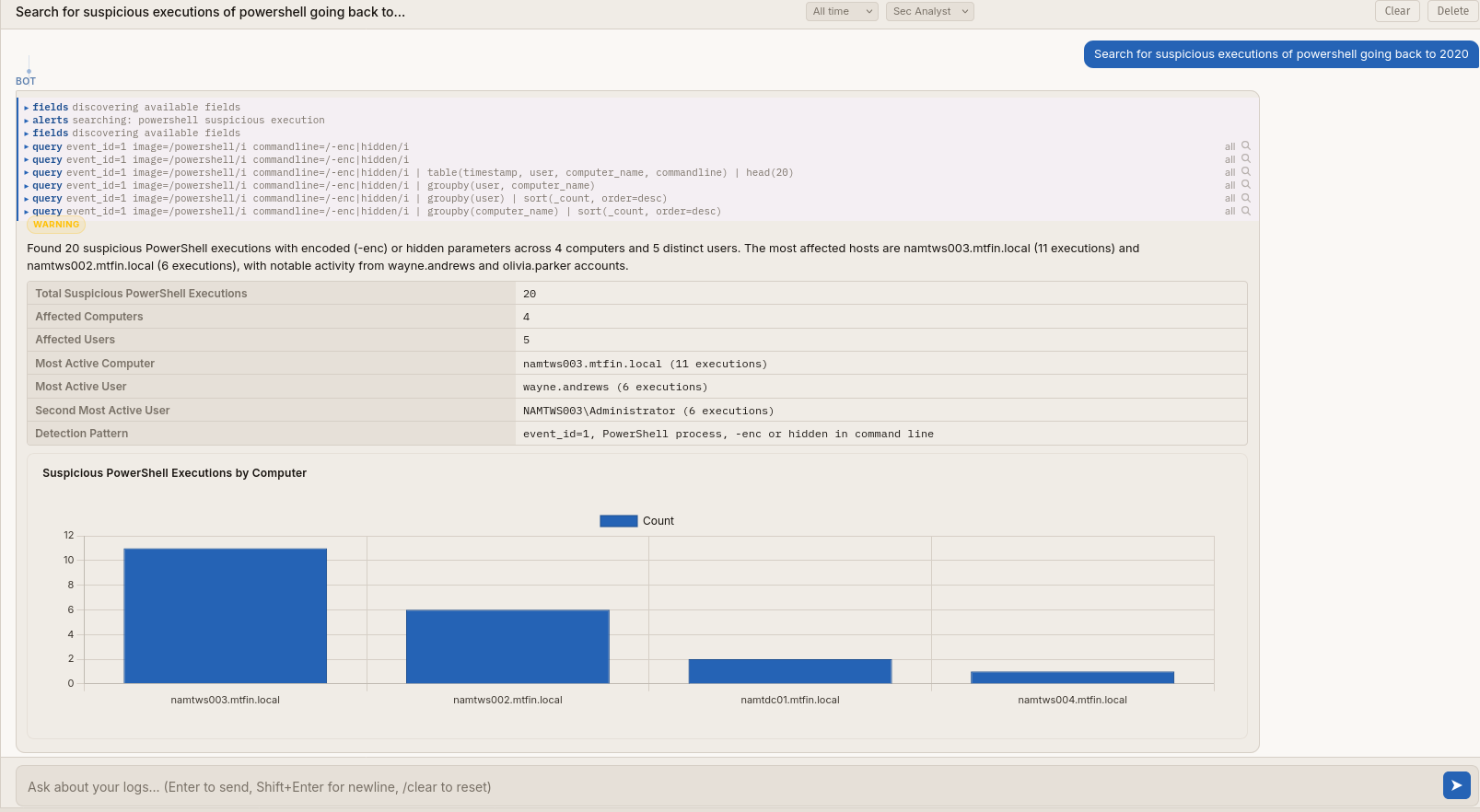
For deeper analysis, Bifract also provides an MCP server. This lets you connect it to Claude Code or any other MCP-compatible client and combine Bifract with other MCP tools in parallel, like querying your logs alongside your threat intel feeds or ticketing system in a single session.
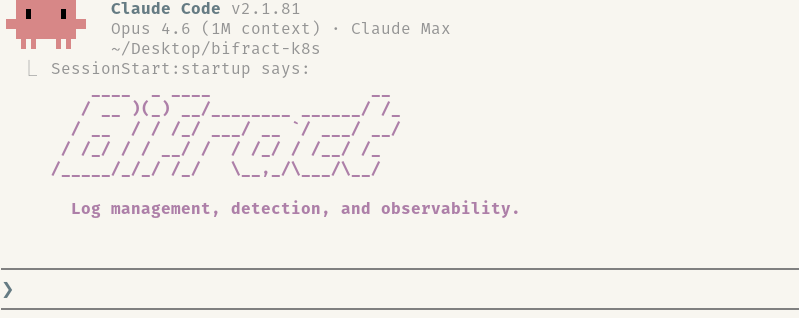
AI in Bifract also has access to the same collaboration features available to human analysts and other agents. It can surface findings using comments and notebooks, making its work visible and reviewable by the rest of the team.
Conclusion
Bifract is the tool I always wished I had during investigations and CTFs. I’m releasing it open source because I think this is a gap worth filling, and I hope it saves others the same search I went through. If you’re looking for a platform that brings log management, detection, and collaboration together, I’d love for you to try it.
Check out the docs to get started, browse the source on GitHub, or star the repo if the project interests you. Issues and contributions are always welcome.